Your files,
played right.

Bring your files in once. Audova plays lossless FLAC and ALAC, remembers an EQ for each song, evens out volume by genre and shows synced lyrics, all on the phone.

Coming soon to the App Store
Lossless FLAC · ALACNo account, no adsA 10-band EQ per songSynced lyrics
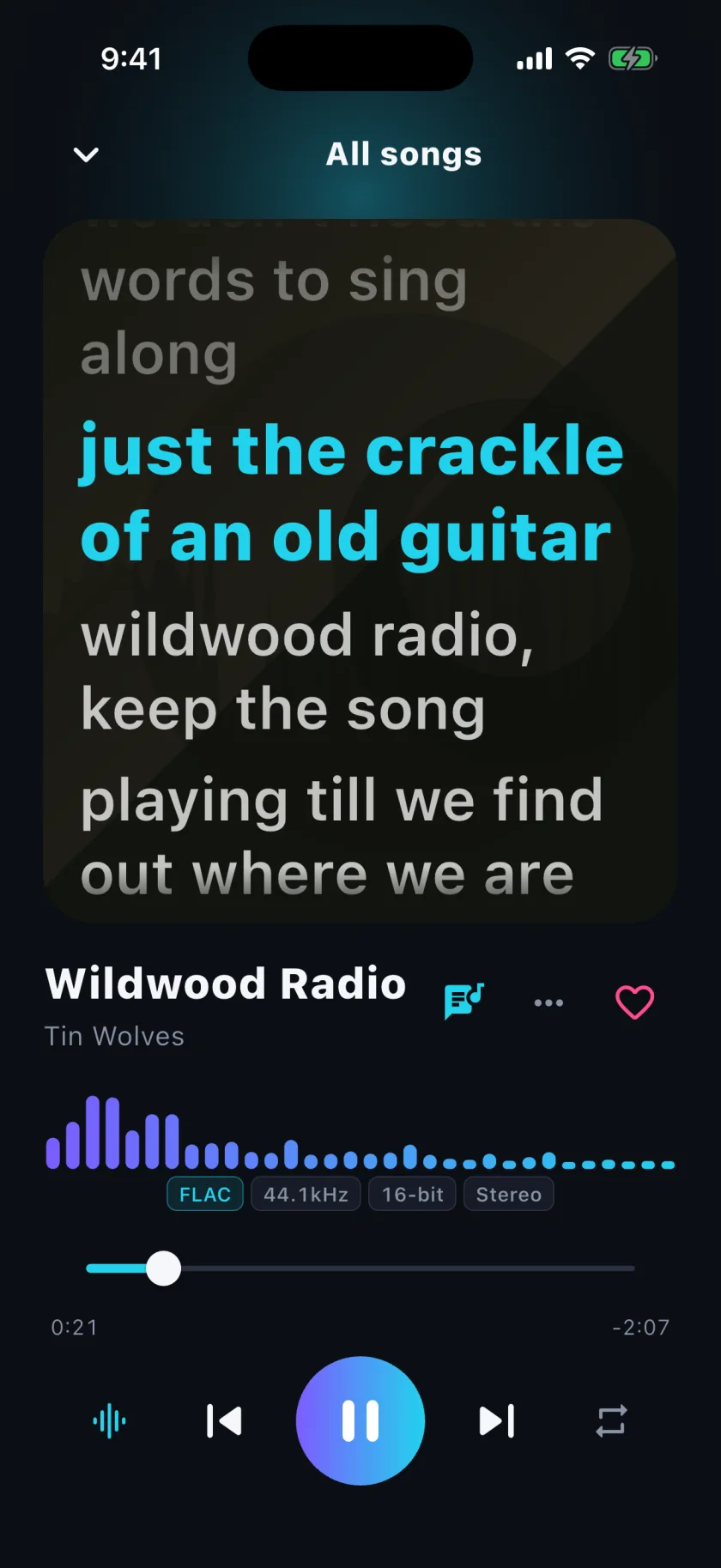
Audova’s Now Playing screen: synced lyrics over the cover, a live spectrum, and FLAC quality chips

Your music stays on the phone

No account, no server, no analytics. Playback needs no internet at all. What leaves the phone is a song’s title and artist, sent by your device to two public lookup services for missing details and lyrics, and, only when you tap Find cover art yourself, that image search. The policy lists exactly what.

Nothing reaches us

We run no server and ship no advertising, analytics or crash-reporting SDK. There is nowhere for your data to go.

Lookups are your phone’s, not ours

To fill in a missing album, year or lyrics, your phone asks Apple’s iTunes Search and LRCLIB directly, with the song’s title and artist. Never your files, never your listening history.

Album art is never fetched for you

Covers come from the files themselves, or from an image you pick: Photos, the camera, or an image search you open and tap yourself.

Delete it, and it is gone

Everything lives in the app’s own storage. Remove a song or the app and Audova keeps no copy.

Read the privacy policy

What it does with your files

Every file, as it is

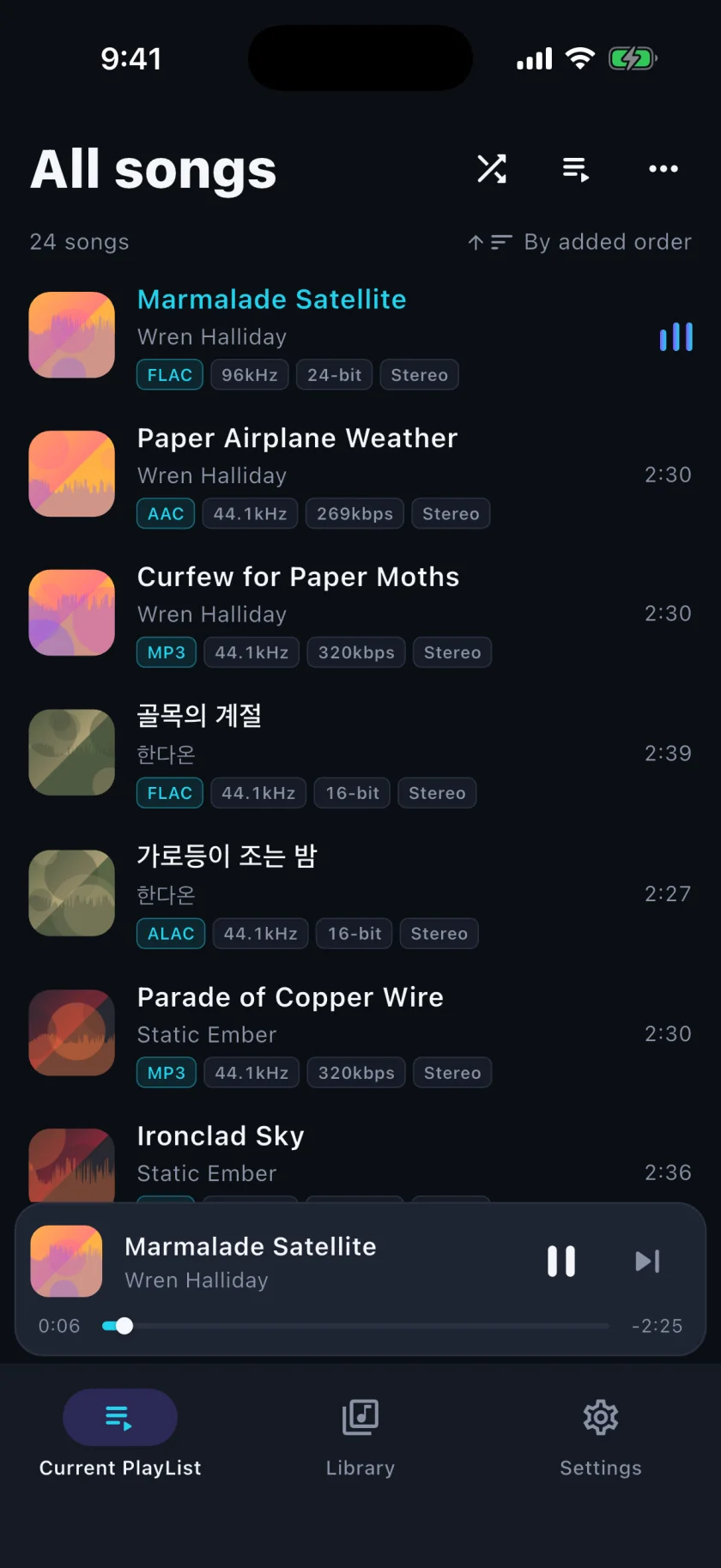
MP3, FLAC, WAV, ALAC and AAC, Opus, Vorbis and AIFF, played gapless. The library shows each song’s codec, sample rate and bit depth at a glance.

Every file, as it is

An EQ for every song

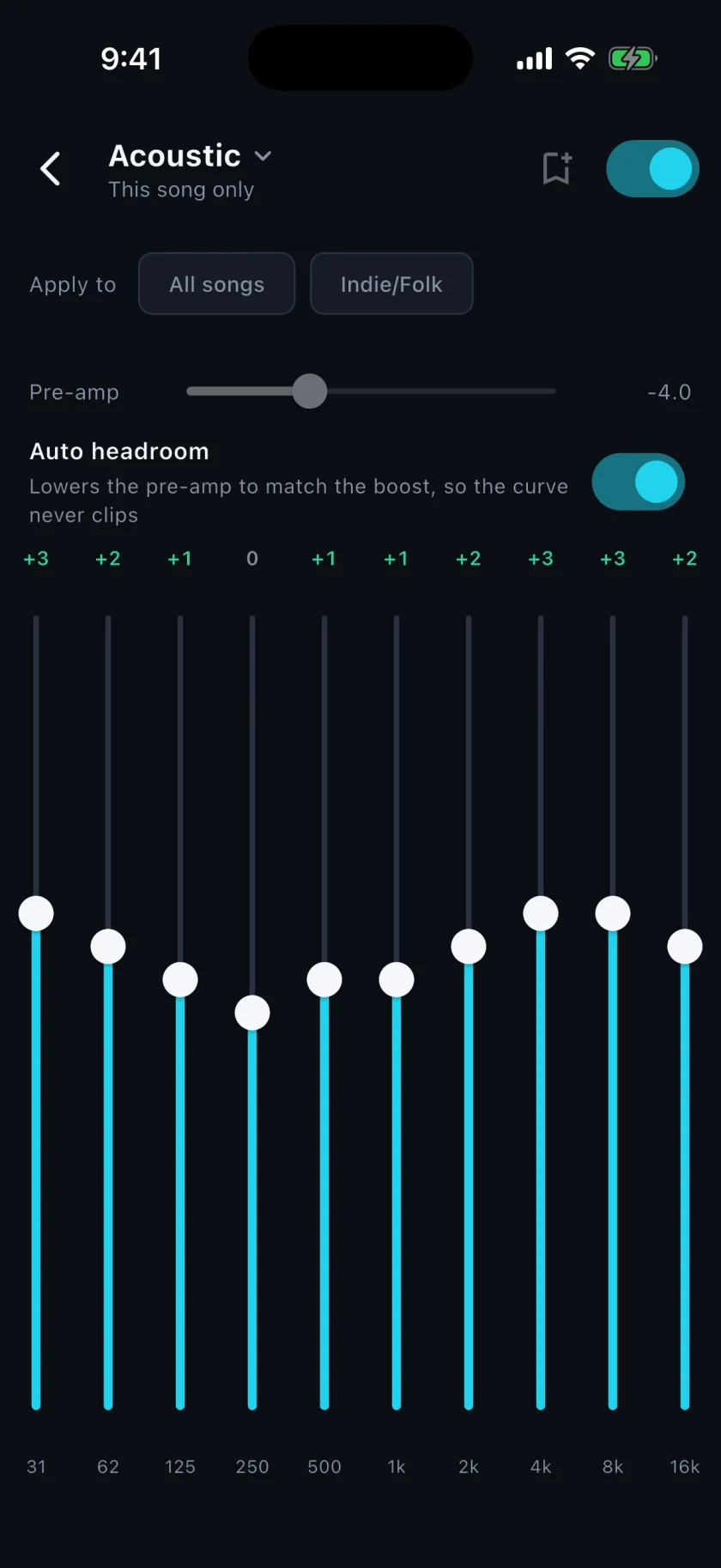
Ten bands with presets. Save a curve for the song you’re hearing, for a whole genre, or for everything, and give each genre a loudness target so tracks stop jumping in volume.

An EQ for every song

Say what you’re in the mood for

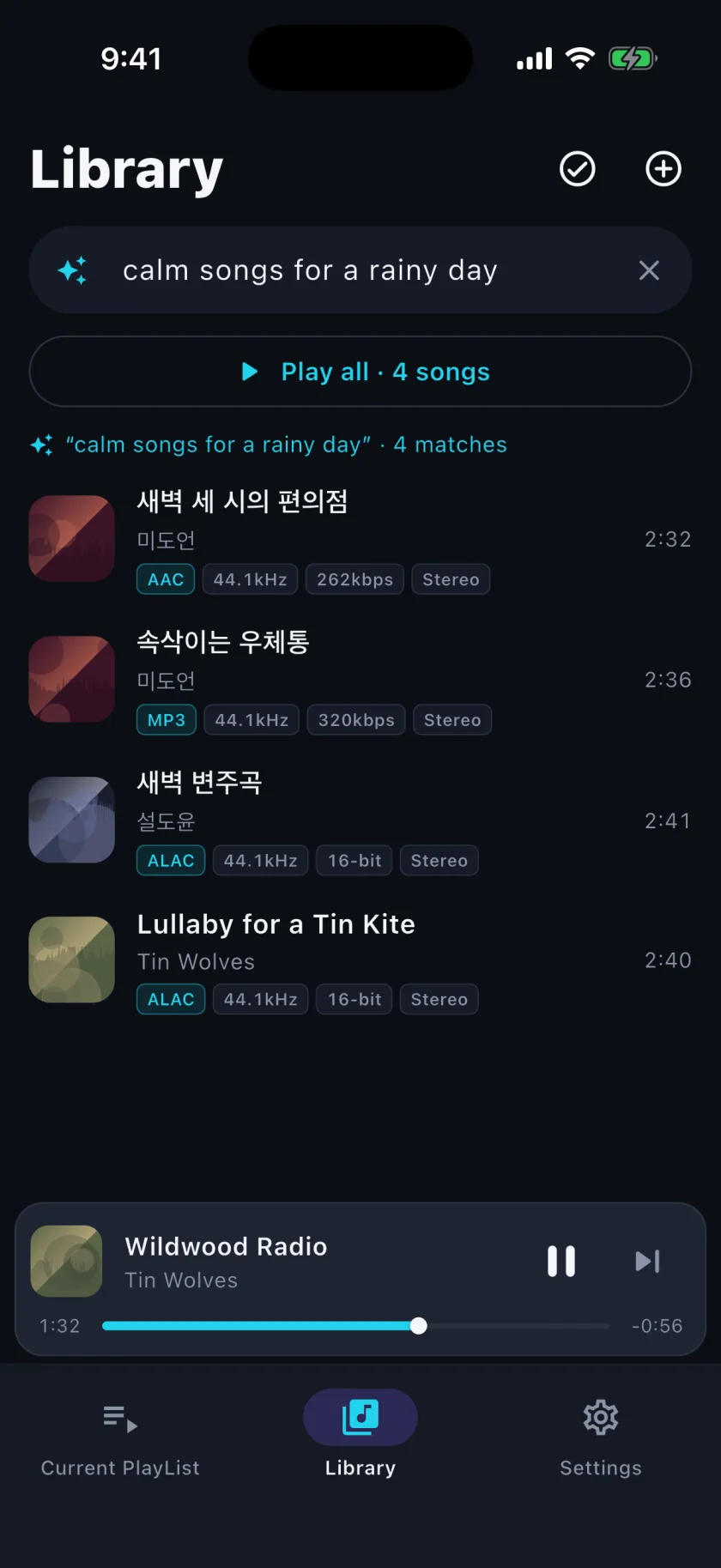
Type a sentence like “quiet songs for a rainy day”. Apple’s on-device model reads it and finds the songs in your library; the words never leave the phone. Requires iOS 26 and Apple Intelligence.

Say what you’re in the mood for

Getting music in, and keeping it yours

From the Files app or a Mac

Pick many files at once from Files or iCloud Drive, or drop them into Audova’s folder in Finder and scan. Imports are copied into the app’s own storage.

Fix anything by hand

Title, artist, album, genre, lyrics and cover are all editable, and Auto Sync can be turned off per song so nothing overwrites your edits.

Nothing to cancel

No subscription, no login. Your files were yours before Audova and stay yours after.

Questions

Does it work offline?

Playback, the EQ, lyrics you already have and search all work with no connection. Only filling in missing song details, release years and lyrics uses the internet.

Where does album art come from?

From the tags inside your files. If a file has none, songs of the same album share one cover, and you can pick one yourself: from Photos, the camera, or an image search you open from the song’s menu.

Which formats play?

MP3, FLAC, WAV, ALAC and AAC (.m4a), ADTS AAC (.aac), Ogg Opus and Vorbis, and AIFF.

What does sentence search need?

iOS 26 or later on a device with Apple Intelligence turned on. Everywhere else the search field does ordinary text search.

Coming to iPhone.

Coming soon to the App Store